Fai & automation

Give your team more time for the show

Fai, your AI teammate, reads your contracts and riders and suggests your next job, and nothing goes out until you approve it.

A small team that works like a big one.

  • No credit card required
  • The Event Operating System on every plan, Free included
  • Unlimited events with no monthly fee
  • Less admin across your whole event
  • Nothing goes out until you approve it
  • Fai's tools in your terminal and your own AI assistant

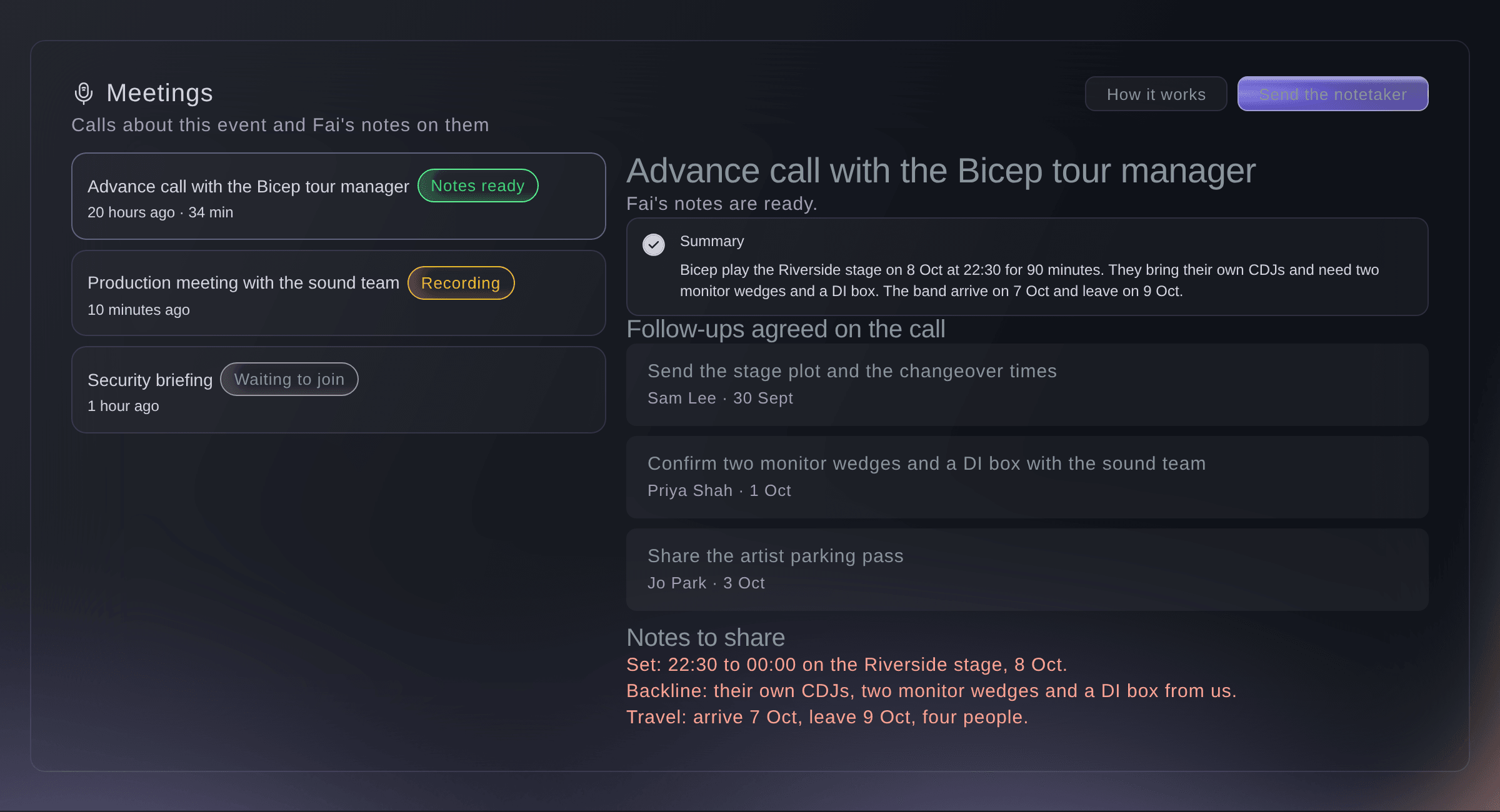
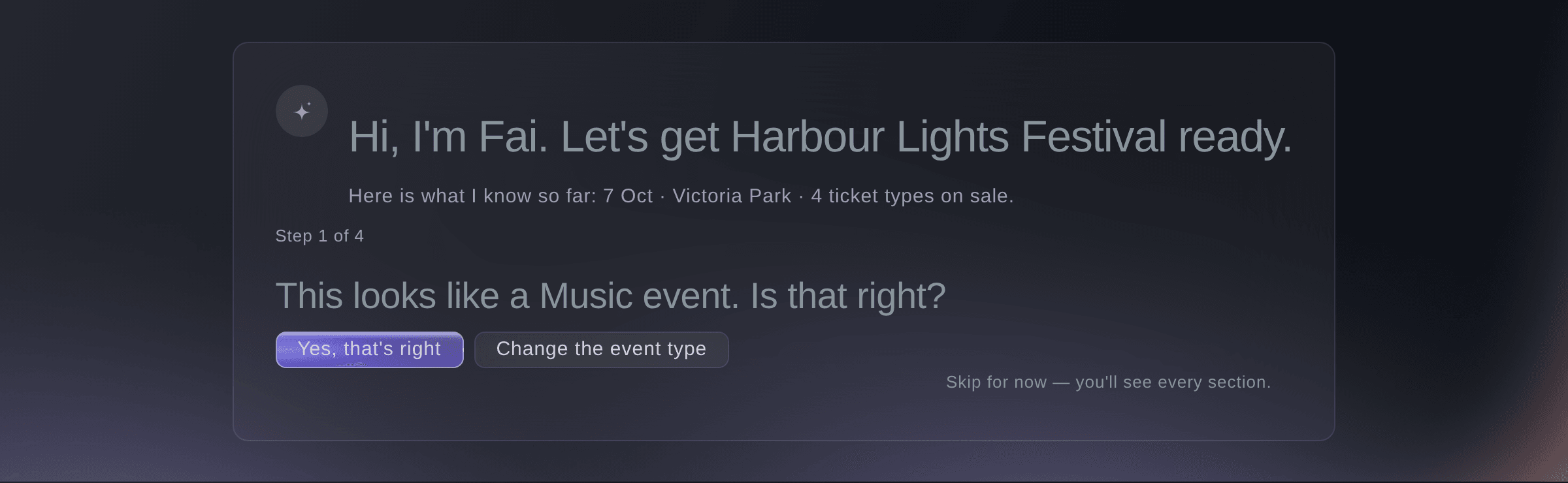
Get help from Fai with any part of your event

You can ask Fai to draft the run of show, fill in an advance, offer an open shift, check volunteer applications or message a team.

How it works

Fai can do only what the person asking can do, and waits for you to confirm each change.

  • Plain words: you ask the way you would ask a colleague
  • Role permissions: Fai can do only what you can do
  • Approval first: you confirm changes and approve messages
Ticket Fairy Event Operating System: Get help from Fai with any part of your event

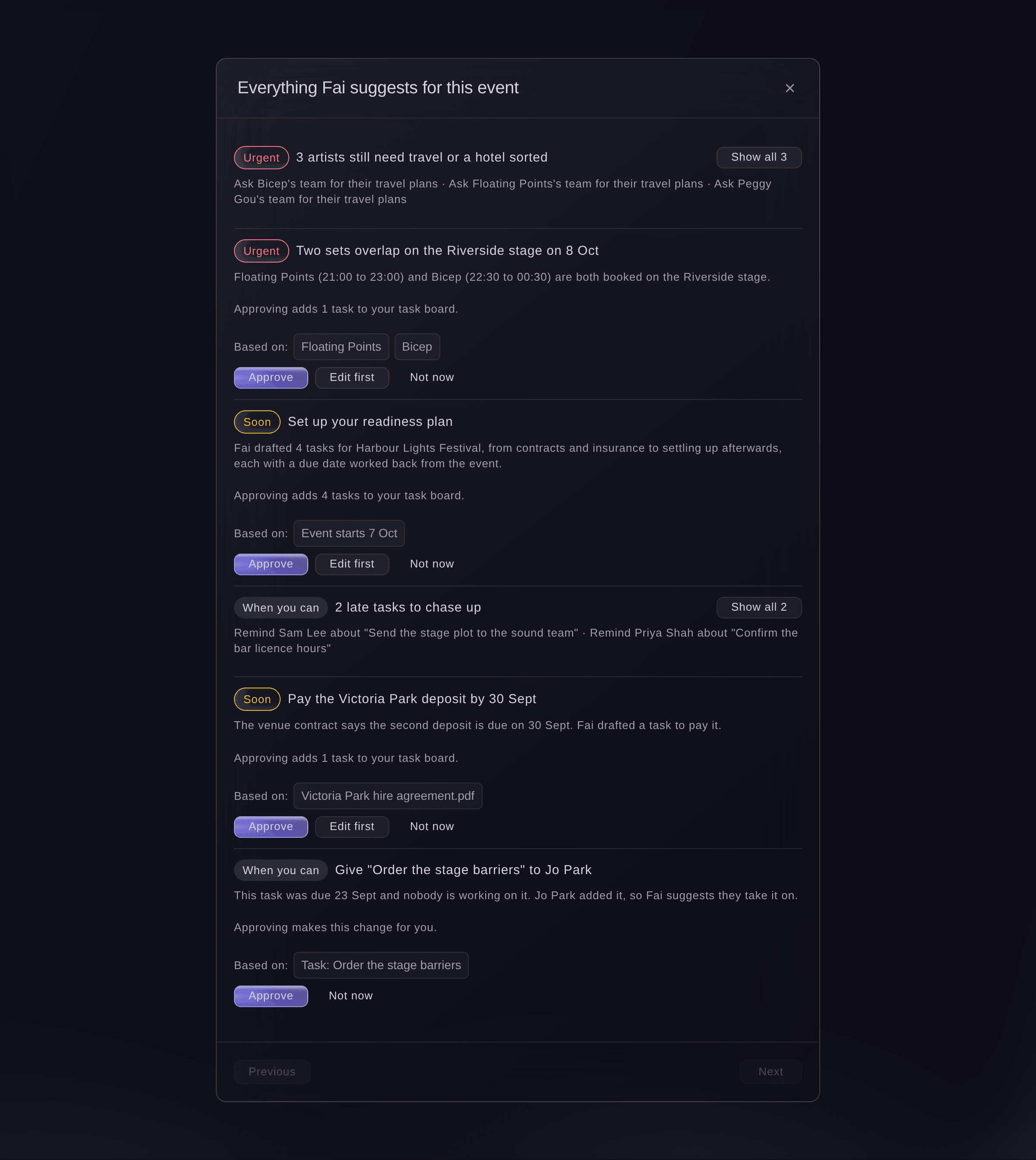
Catch problems early, with a draft ready to approve

Each hour, Fai checks each of your events for jobs that need you. That covers overdue tasks, uncovered shifts, clashes, missing advance details and trader paperwork.

How it works

It also covers unreturned kit, hotel rooms close to their release date and contracts waiting on you. Fai adds each one to your suggestions with a draft ready for you to approve.

  • Hourly checks: across all parts of your event
  • Suggestions: each one with a draft ready to approve
Ticket Fairy Event Operating System: Catch problems early, with a draft ready to approve

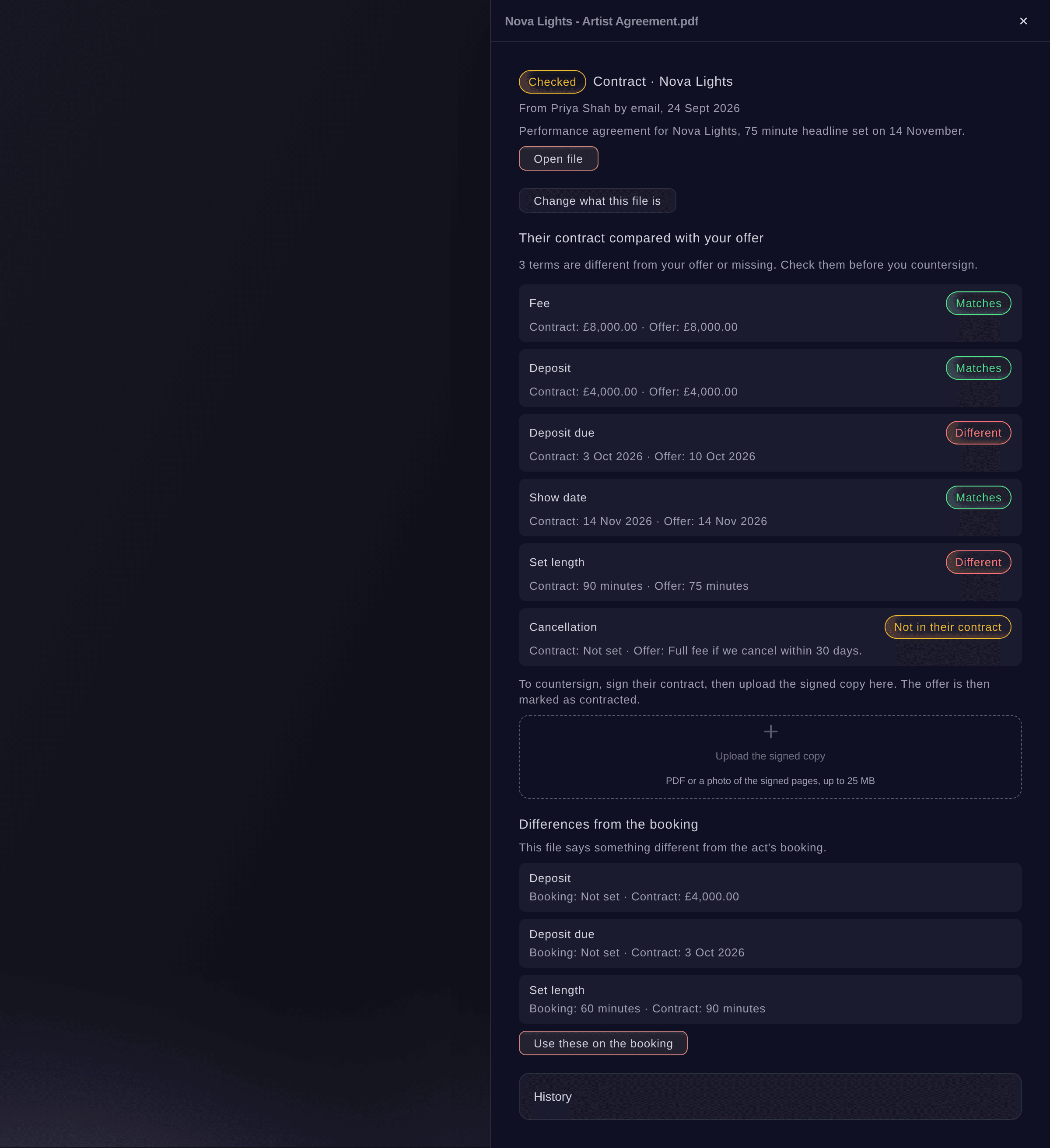
Let Fai read the paperwork agents and suppliers send

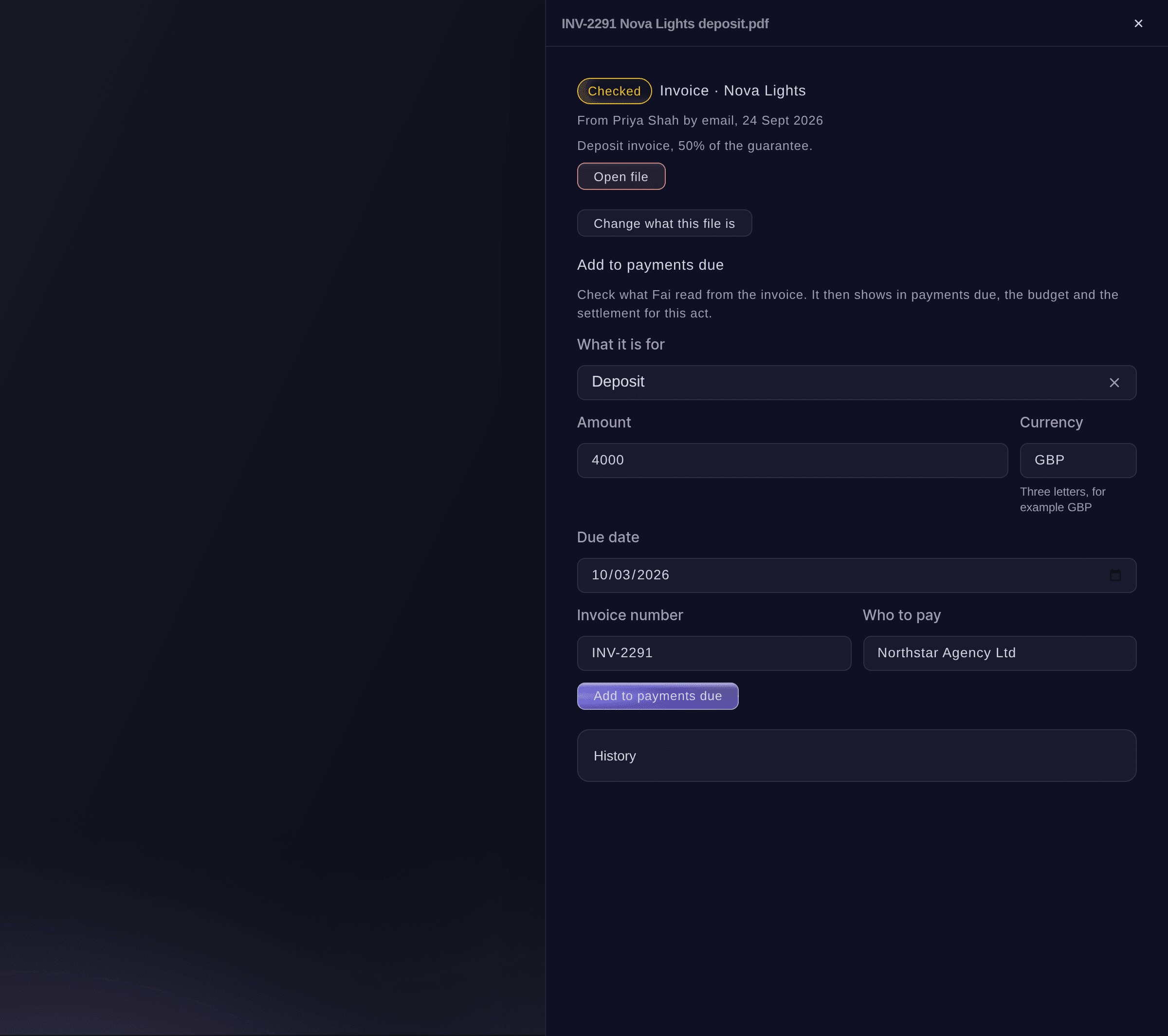
Fai reads the contracts, riders, tour books, quotes and reports that come in and gets each one ready for you to approve.

How it works

She compares an agent's contract with your offer and prepares their invoice for Payments due. She fills in the advance from riders and tour books, and puts a supplier's quote onto the hire list. Fai also checks trader takings reports and the expiry dates on certificates. Each answer shows where it came from, and nothing is used until a person accepts it.

  • Contracts and invoices: compared with your offer
  • Riders and tour books: answers for the act's advance
  • Certificates and reports: expiry dates and trader takings checked
Ticket Fairy Event Operating System: Let Fai read the paperwork agents and suppliers send

More on Fai

See how your team does each job in the dashboard, set it up step by step and get answers to your questions.

Get this page as a PDF Read it later or share it with your team. We email you a link to the PDF.
What to put in your PDF

We will email you this deck. We may also email you now and then about Ticket Fairy features that can help your events. You can unsubscribe at any time with one click.

Work with Fai, your terminal or your own AI assistant

  • Fai across your event

    You can ask Fai about any part of the Event Operating System, from planning and artists to meals, desks and traders, with your permissions

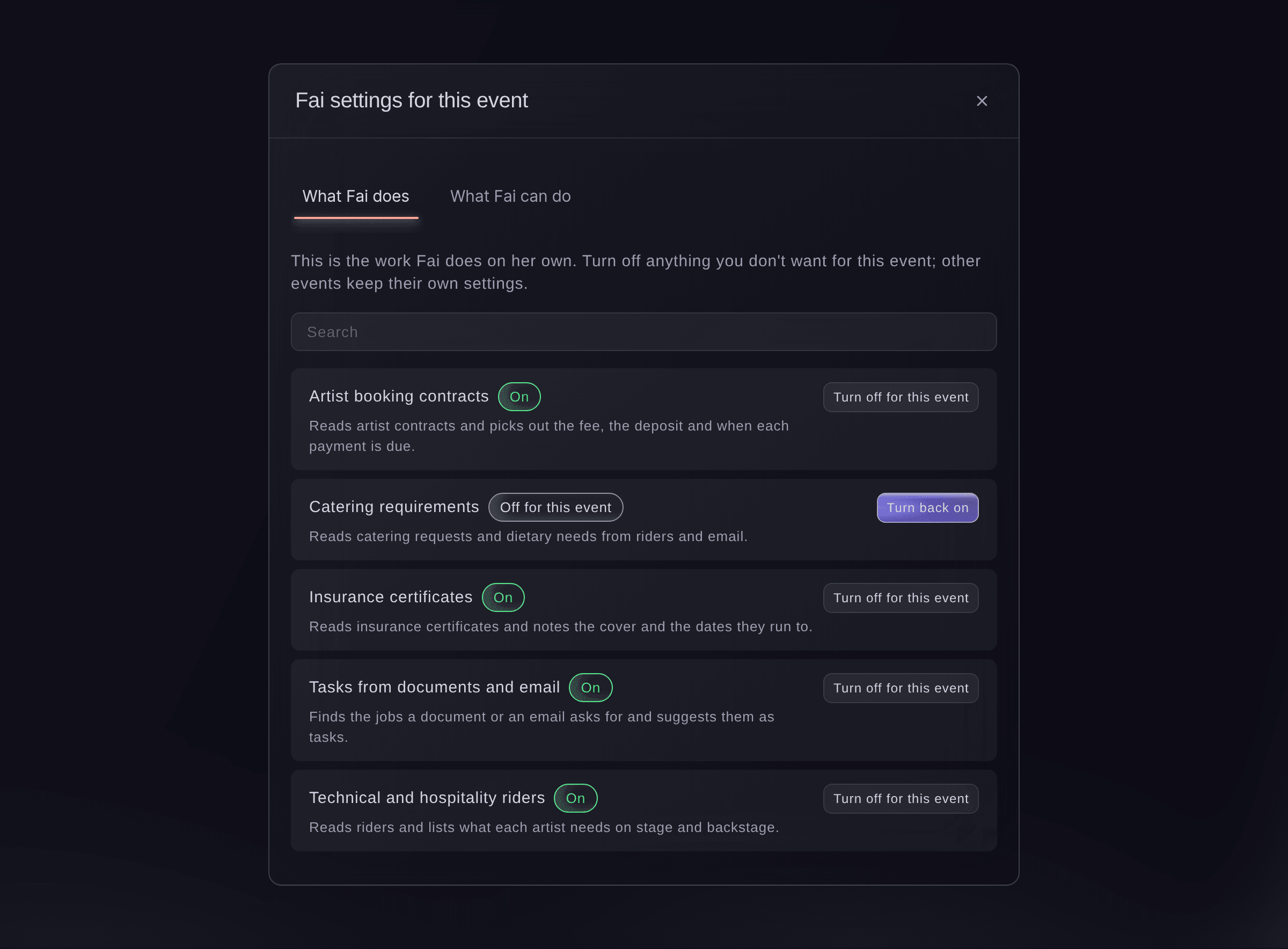
  • Choose what Fai does

    You can turn each kind of work Fai does on her own on or off for each event

  • Messages that go out by themselves

    Fai suggests shift offers and reminders for your team to approve. On an event, you can let chosen kinds go out by themselves

  • Ticket Fairy CLI

    You can run commands for your Today page, advancing, show day, shifts, incidents, messages, passes and contracts from your terminal or your own scripts

    Learn more about Ticket Fairy CLI

  • MCP server

    Your own AI assistant can use the same tools. You approve each change, and your assistant asks you before anything goes to other people

    Learn more about MCP server

  • Spellbook

    Fai can build the board or tracker your team asks for, such as a riders board in Artists, add it as a tab to the page your team already uses, and set it to do the follow-up work by itself

    Learn more about Spellbook

Questions about Fai

Fai & automation

Fai can do the same work as you across the Event Operating System, with your permissions. You confirm each change, and you approve anything that goes to other people.

No. Fai treats emails, riders and files as information only, never as instructions, and a person accepts each answer before it is used.

Yes. Use the Ticket Fairy CLI, which has commands for this work. The MCP server gives AI assistants the same tools, with your approval before any change.

Build a stronger event business on the Event Operating System

Get started free and plan your next event today, or book a demo to see it on an event like yours.

Start free with the Event Operating System

Sign up and plan your next event, from the first advance to show day.

The Event Operating System on every plan, Free included

Unlimited events with no monthly fee

Fai drafts the admin, and you approve it

Get started free Talk to Fai Now

Ask Fai, our AI teammate, about Ticket Fairy’s features, pricing and how it could work for your event.

No credit card required

Book a demo

See the Event Operating System on an event like yours, with your team's questions answered.

45-Minute Video Call
Pick a Time That Works for You

The Ticket Fairy, Inc. is a fintech company and technology platform. The Ticket Fairy, Inc. is not a bank, financial institution, or regulated financial services provider. Vault banking services are provided through regulated banking partners. Ticket Fairy Capital financing is provided by third-party private credit partners. The Ticket Fairy, Inc. does not make credit decisions, and all funding terms, approvals and conditions are determined by those lending partners.

Ticket Fairy is not a direct lender and does not make credit decisions. Ticket Fairy acts solely as a technology provider, connecting event businesses with third-party lending partners. All funding decisions, terms, and conditions are determined by the respective lending partners.